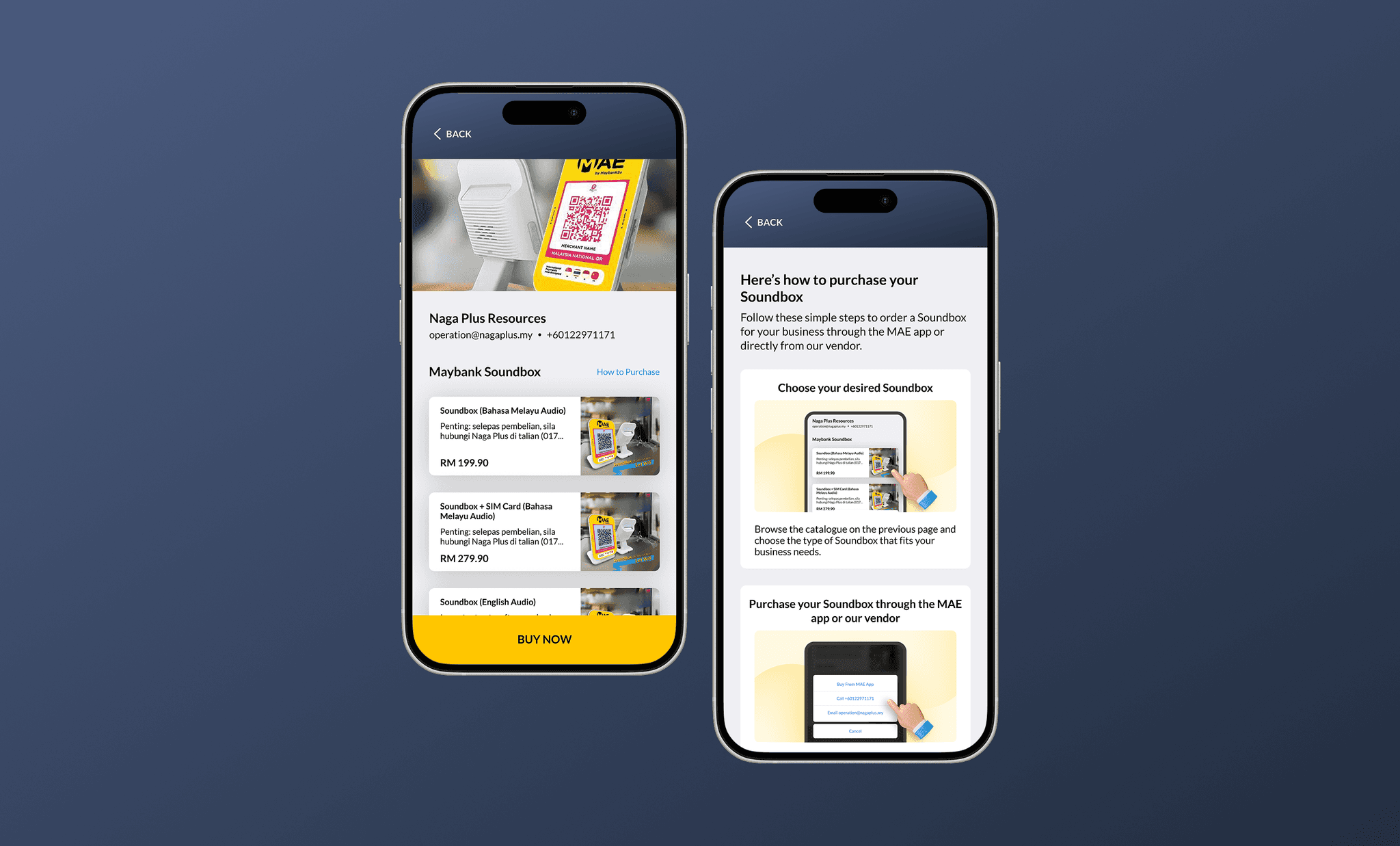
QRPayBiz by Maybank enables QR payments with built-in sales insights for merchants.
Banking
Maybank
Product Designer
Mobile App
Overview
QRPayBiz by Maybank is a merchant payment app designed to unify QR payments and sales insights. However, the existing app experience prioritised payment execution over business visibility.
When merchants launched the app, they were immediately presented with a calculator for generating QR codes, with little to no access to sales performance or operational insights.
I focused on redefining the app’s entry point by introducing a true dashboard—one that balances fast payment actions with meaningful business visibility.
For this project, I collaborated closely with the Product Manager, UX Writer, and Design Manager.
Problems
Although QRPayBiz serves merchants, the initial app experience did not support how merchants manage or understand their business on a daily basis.
No dashboard overview
Upon launching the app, merchants were taken directly to a calculator view used to generate QR codes for customer payments. While functional, this screen did not provide any overview of business performance or context.
No performance visibility
Merchants had no way to track how their outlet was performing over time. Key information such as daily earnings, weekly trends, or monthly sales insights was not accessible within the app.
Poor access to key actions
Common actions were buried inside the Settings section, increasing friction for frequent tasks and creating an inefficient user flow for merchants who rely on speed during daily operations.

Solutions
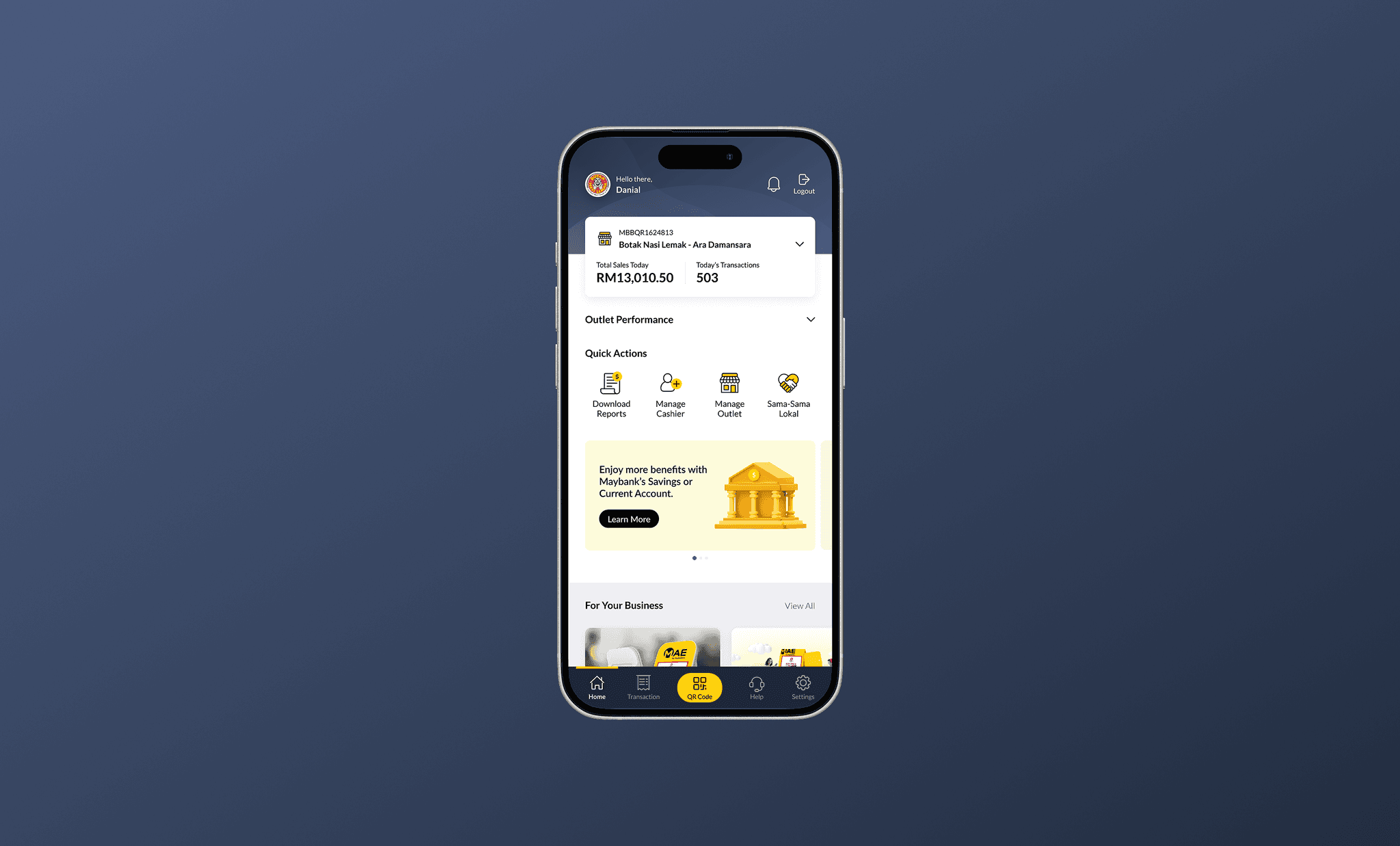
The app entry experience was reimagined by introducing a dashboard that balances business visibility with operational efficiency.
Instead of leading with a calculator, the new dashboard provides merchants with an at-a-glance view of their sales performance while still enabling quick access to essential actions.
The redesigned experience positions QRPayBiz not just as a payment tool, but as a lightweight business companion for merchants.
Core Features
Sales dashboard overview
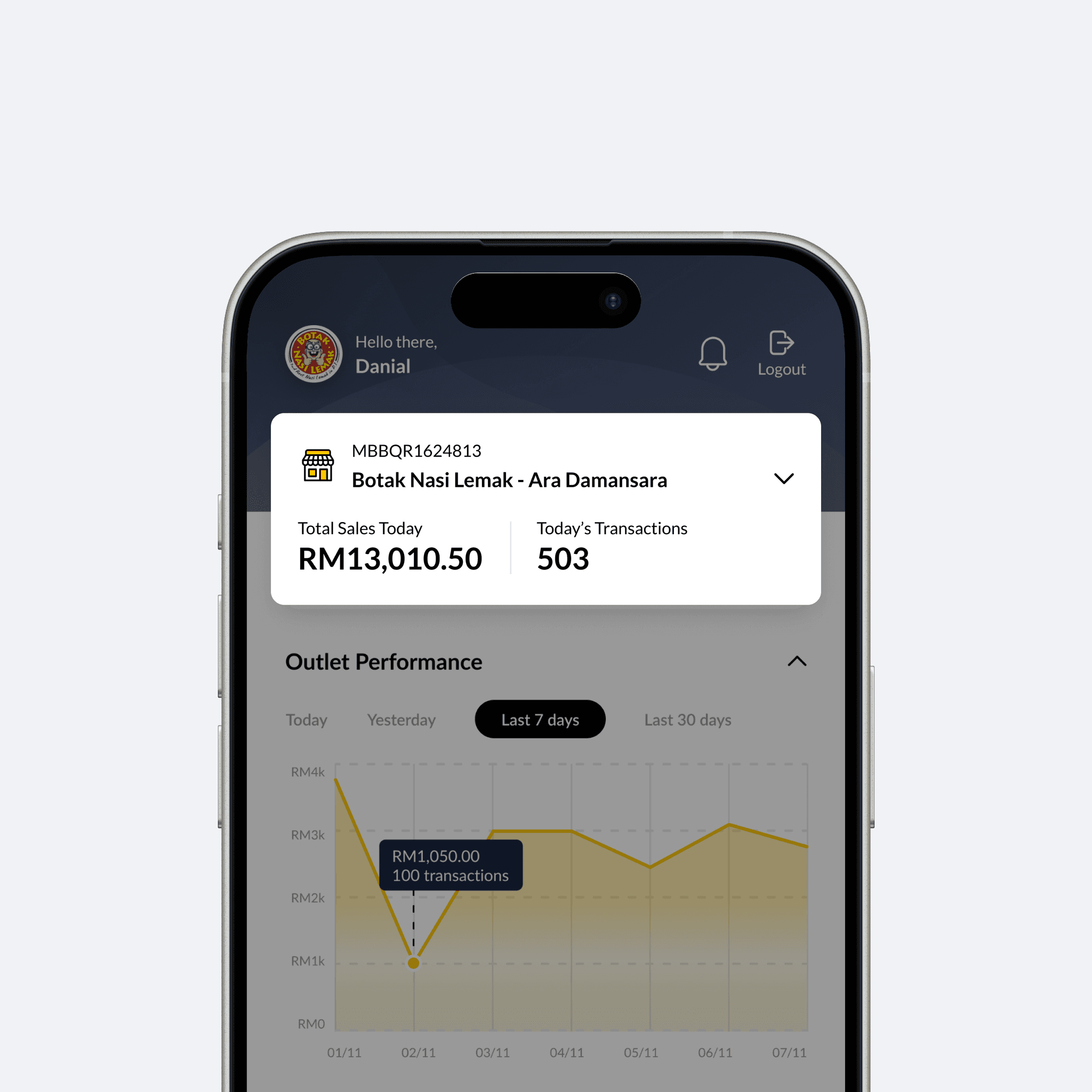
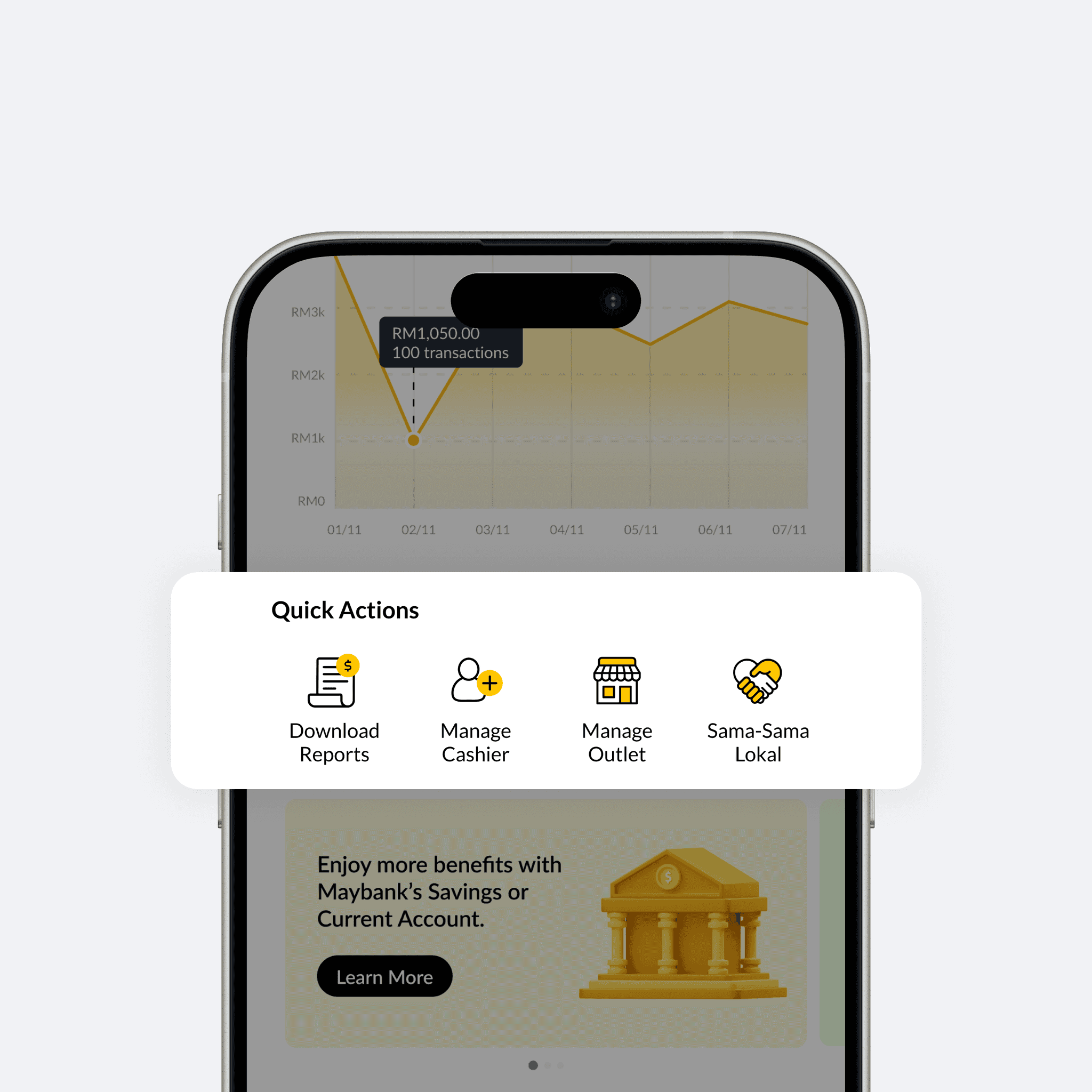
The new dashboard surfaces key sales information upfront, such as total earnings and transaction activity. This allows merchants to immediately understand how their business is performing without navigating through multiple screens or relying on external tracking.
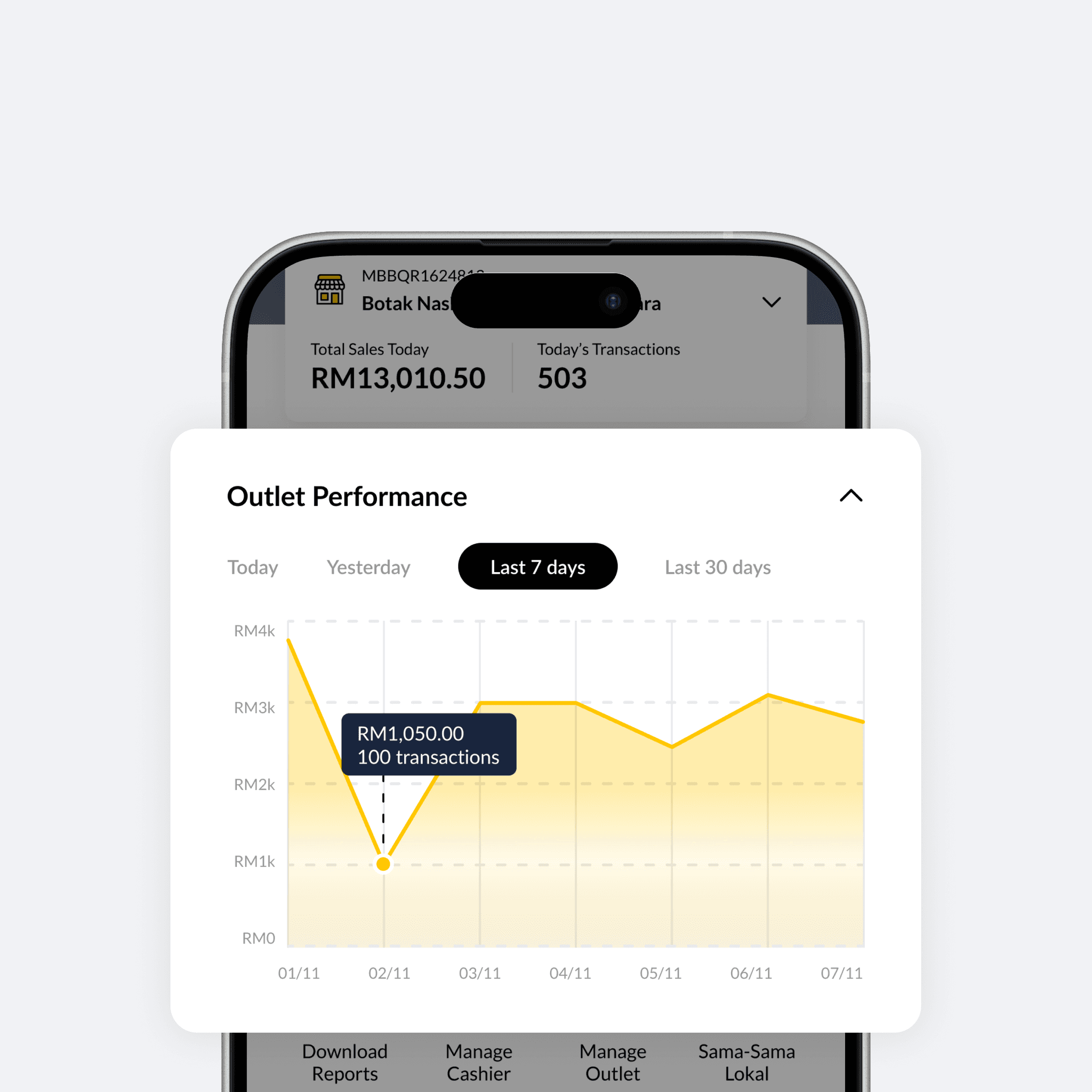
Performance tracking & insights
Sales performance can now be viewed across different time frames, including daily, weekly, and monthly views. Simple trend indicators help merchants quickly identify patterns and changes in performance without requiring detailed analysis.
Quick access to key actions
Frequently used actions are surfaced directly from the dashboard, reducing reliance on the Settings menu. This improves efficiency for merchants, especially during busy operating hours where speed and clarity are critical.
Outcomes
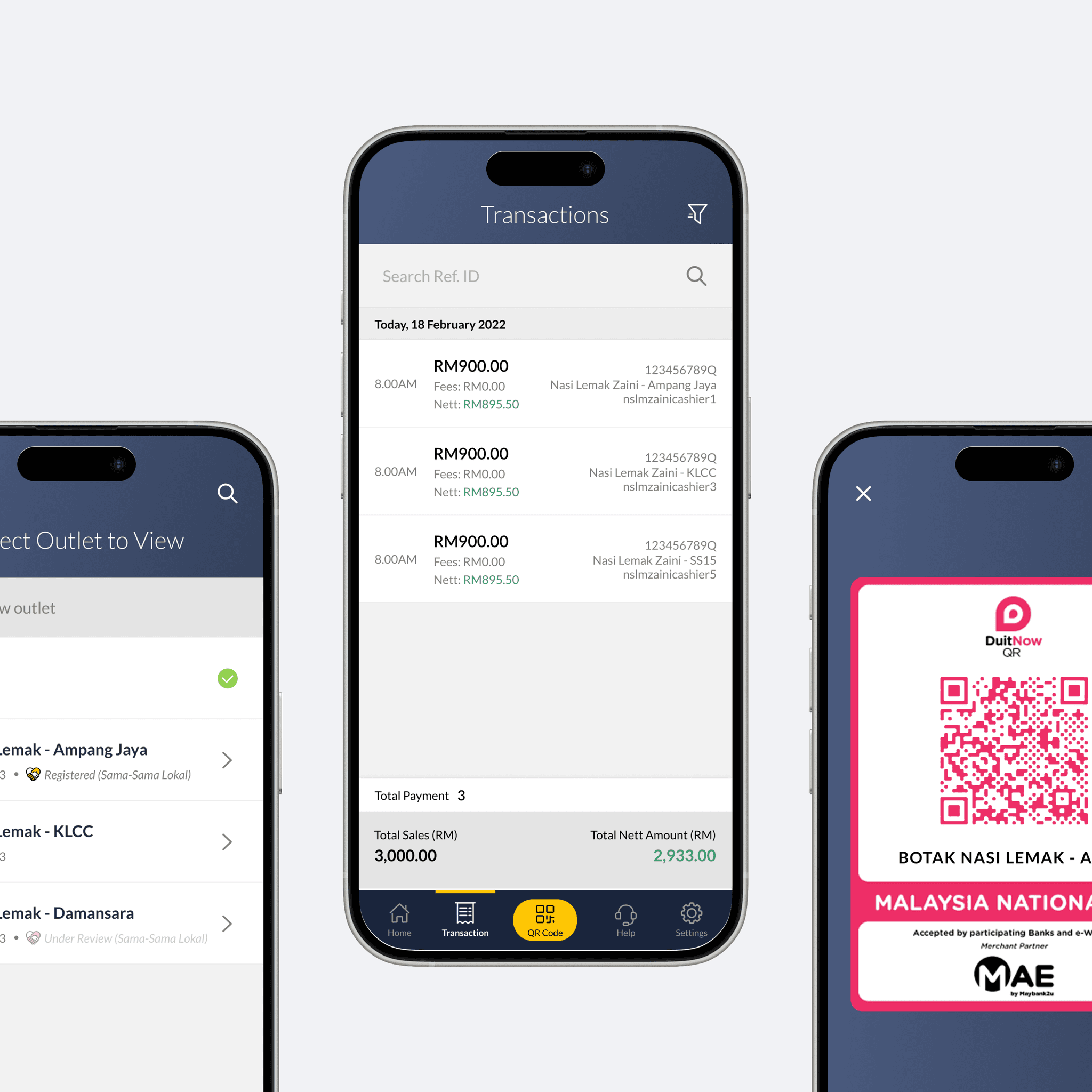
The redesigned dashboard transformed QRPayBiz’s entry experience from a single-purpose payment tool into a more holistic merchant interface.
Overall, the redesign improves clarity, efficiency, and confidence for merchants managing their transactions through QRPayBiz.
Conclusion
This project highlighted the importance of aligning product entry points with user intent.
While the original calculator-first approach supported payments, it overlooked merchants’ need to understand and manage their business performance.
By introducing a true dashboard experience, the redesigned QRPayBiz balances operational speed with meaningful insights, reinforcing its positioning as more than just a QR payment tool.